

Testing the Zaxcom HD2USB Adapter
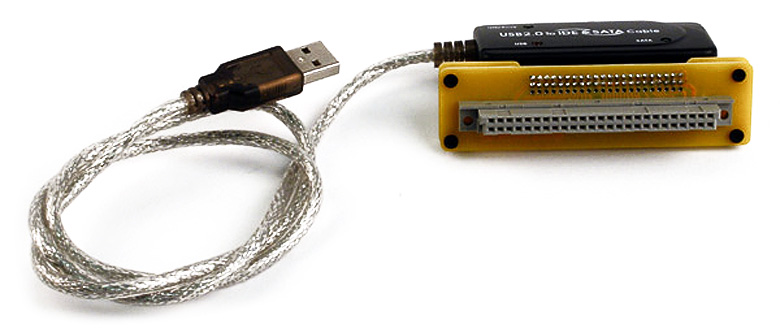
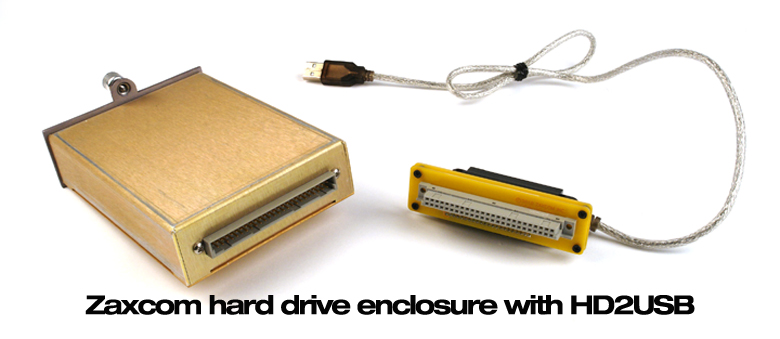
We recently received a new Zaxcom Deva accessory called the HD2USB Hard Drive Caddy to USB adapter. It allows for direct access of Deva hard drives, from PC or Mac computers. The adapter works with both the Zaxcom drive box and the Remote Audio Drive Mounter system. The drive will mount as a FAT32 compatible drive and ZaxConvert is used to extract files direct from the hard disk with transfer speeds 10x to 20x faster than Deva mirroring. I ran some speed comparison tests and here’s what I found.
I recorded 5 takes of 10 track audio files using the Zaxcom Deva 5.8. Once I had finished, I had approximately 4.7 GB of material. I then connected a portable firewire drive and formatted it on the Deva recorder. I mirrored the .ZAX files to the external drive as 24 bit 48 KHz broadcast wave poly files. The mirroring process for this took approximately 49 min.
For the next part of the test I downloaded ZaxConvert – .ZAX file conversion software from the Zaxcom website. I removed the internal hard drive from the Deva and connected it to the new HD2USB adapter.
I connected the HD2USB cable to a USB 2.0 port on a PC desktop computer and proceeded to transfer and convert the files to 24 bit 48 KHz broadcast wave poly files as I had done in the mirroring test. The transfer time for this process was approximately 3 minutes, approximately 16 times faster than the time it took to mirror using the Deva recorder. All in all, the HD2USB adapter is a handy, time-saving tool for your sound kit.

Will this usb adapter work/ help with my fat 16 deva 2 drives?
Glenn,
The Zaxcom “Zax Convert” software cannot access the files from the original FAT16 Deva 2 hard drives.
Do you know if there are any plans to make a USB3 version? Now -that- would be fast!
jg
John,
At this point, I don’t believe Zaxcom is planning to release a USB3 version.
John,
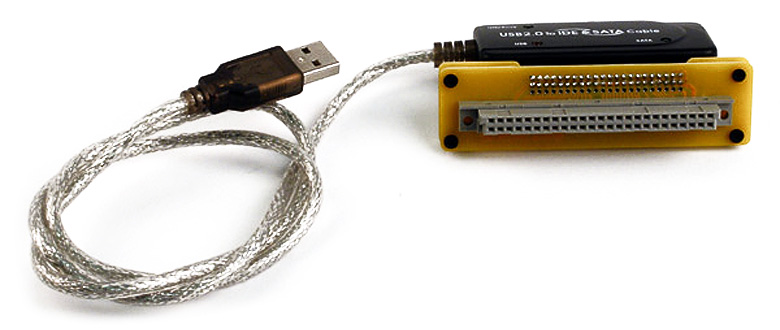
At this point, the photos above do not show that this system is actually two pieces: a connector adapter (made by Zaxcom) and a USB to hard drive interface cable (other manufacturer). We’ll get another photo up to show this more clearly.
USB2 or USB3 capability is not a function of the Zaxcom connector adapter, but a function of the cable, which is available from a number of different manufactures. My guess is that USB3, if not already available, soon will be.
Glen Trew
Thanks for the info Glen. Yes, USB3 is out, I have a 500GB HP USB3 drive that I use to back up my new-ish Lenovo laptop that has USB3.
Hi
Im using Zaxconvert ver. 6.09. I am not able to choose individual tracks to translate. I can only translate all tracks. It says “this version can only do all. Is there a version where you can choose tracks?
Is there ANY way to transfer files from a Deva 11 hard drive?
Hi Melanie (& John),
The Zaxcom “Zax Convert” software cannot access the files from the original FAT16 Deva 2 hard drives. It’s FAT32 format software, which is Deva 4 and above.
Josh
That’s a great question Melanie, as a Deva II owner I feel Zaxcom has some duty to make the things useable 🙂
Hi John, I guess that’s a no, then?
That’s an “I don’t know!”
John
So then how can one access the files on a Deva 2- ?